

CCleaner 7.12.1526
CCleaner is a free, easy-to-use PC cleaner that wipes temp files, browser cache, and junk to speed up Windows. It also manages startup programs, uninstalls apps, and finds duplicates, with the latest 2026 versions adding Easy Clean mode and Microsoft Store availability. It won't replace antivirus, and past security incidents mean you should keep it updated. Windows has decent built-in tools, but for a quick one-click cleanup, CCleaner still gets the job done.
- Free
- Windows
- Oct 8, 2026
Screenshots
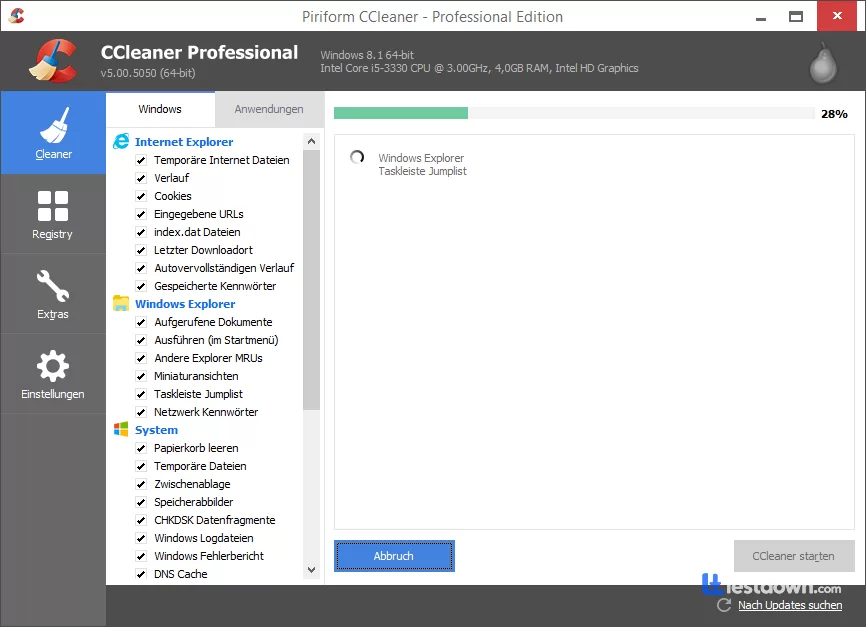
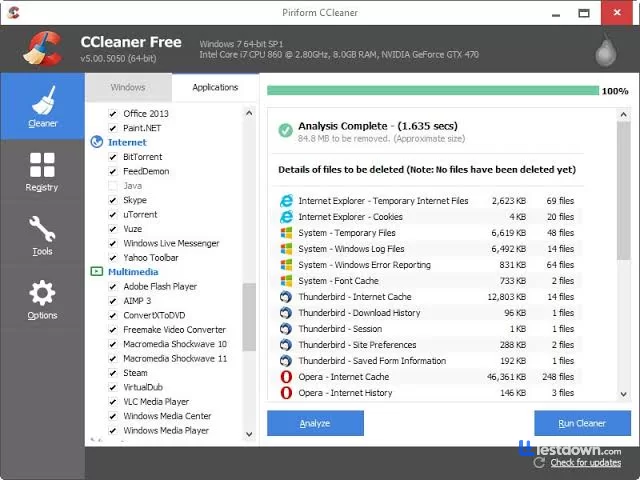
About CCleaner
When your computer starts feeling sluggish, a good cleanup tool can make all the difference. That's where CCleaner comes in. This software, developed by Piriform Ltd, helps you clear out unnecessary files, like cookies, temporary files, and unused data, that silently slow down your system. It runs regular scans to locate and remove clutter, giving your PC a noticeable boost in performance and freeing up valuable storage space.
What Is CCleaner and How Does It Work?
Originally launched in 2003, CCleaner has grown into one of the most trusted tools for PC maintenance. Available for Windows, macOS, and Android, it offers more than just file cleaning. You can uninstall unwanted programs, manage startup items, and even clean up your system registry, all from one easy-to-use interface. The latest version, v7.12 (September 2026), brings some genuinely useful improvements: custom clean now lets you right-click "Scan" and "Clean" to run only selected rules, duplicate finder results are clearer, and startup is smoother than before.
Why Users Choose CCleaner
Installing CCleaner offers quick and clear benefits: faster startup times, improved system responsiveness, and more free space on your hard drive. Here are some of the top perks:
Boosts Speed: Deletes junk files that slow down your system.
Protects Your Privacy: Clears browsing history and cookies automatically.
Keeps Things Tidy: Schedules regular cleanups to maintain peak performance.
Registry Cleanup: Fixes outdated or broken registry entries that could cause system errors.
What Can You Do with CCleaner?
CCleaner goes beyond simple file deletion. It also:
Removes temp and leftover files
Frees up storage space
Disables unnecessary startup programs
Eliminates remnants from uninstalled apps
Wipes browser histories
Optimizes the system registry
Finds and removes duplicate files
Helps fix common PC errors
These tasks help improve your system's stability, speed, and usability, while minimizing crash risks and annoying error messages.
Better Browsing Experience
Every time you browse the internet, your system accumulates data like cache files, cookies, and browsing history. CCleaner wipes these files clean, giving browsers like Chrome or Firefox a performance lift. You can also tweak what gets deleted, great for users who want to keep saved passwords or preferences intact. Its Startup manager lets you cut down on programs that launch with Windows, giving you faster boot times from the get-go.
Fixing Errors and Avoiding Crashes
Frequent freezes or error messages? It may be time for a registry cleanup. CCleaner's Registry tool detects invalid entries that may cause crashes, and it even offers backup options before deleting anything, so you're never at risk of losing important data. That said, I should mention something here, registry cleaning is a bit controversial these days. Windows 10 and 11 manage their registries pretty well on their own, and some experts argue that registry cleaners can actually cause more harm than good if you don't know what you're doing. CCleaner's tool is relatively safe and offers backups, but honestly? The performance gains from registry cleaning are often exaggerated. The real benefits come from temp file cleanup and browser cache clearing, which are measurable and safe.
Secure and Private Browsing
Not every website gives you control over how cookies are stored. CCleaner helps by deleting saved passwords, cached files, and other traces of online activity, reducing the chance of tracking or identity theft.
Customizable for Every User
Whether you're a beginner or an advanced user, CCleaner adapts to your needs. Stick with default settings or dive into advanced options where you can choose exactly which cookies or files to keep. The new "Easy Clean" feature, introduced in 2026, offers simplified controls that guide you through the cleaning process and help you customize settings based on your needs.
More Than One Version
In addition to its classic desktop edition, Piriform also offers:
CCleaner Browser: This secure browser focuses on privacy, blocking trackers and keeping your online activity private. After being acquired by Avast, it now functions as Avast Secure Browser but keeps the CCleaner branding.
CCleaner Cloud: This version lets you manage your PC remotely, perfect if you want to optimize your computer without being at your desk.
CCleaner on Microsoft Store: As of August 2026, CCleaner is also available through the Microsoft Store, with updated cleaning definitions and driver update support for over 9 million drivers.
Is CCleaner Safe to Use?
Yes, CCleaner is widely trusted. It targets only temporary and junk files, so your personal data stays intact. Since launching, it's been downloaded hundreds of millions of times, earning its place as one of the most-used system tools globally.
But here's where I have to be straight with you. CCleaner has had some security issues in the past. Back in 2017, there was a pretty serious supply chain attack, hackers compromised the official installer and distributed malware to over two million users. It went undetected for about a month, which was a huge deal at the time. The company patched it quickly, and there haven't been major incidents since. The Mac version is now Apple-notarized and hasn't had security issues since 2017. But it's worth knowing the history. Also, CCleaner is now owned by Avast, which has had its own privacy controversies around data sharing. If you're the type who cares deeply about that stuff, it might matter to you. If you just want a tool that cleans temp files, it's probably fine.
Does It Detect Viruses?
No. CCleaner is not an antivirus or spyware scanner. It won't find or remove malware, so it's best to use it alongside reliable antivirus software for full protection.
Can You Run It in Safe Mode?
Absolutely. Running CCleaner in Safe Mode can help you resolve deeper system issues with fewer conflicts from other apps.
Privacy Commitment
CCleaner does not sell or share personal user data. Your email, name, and other private information are protected and never exposed to third parties. That said, the Android version has been flagged for containing trackers and requesting a lot of permissions, so if you're using it on mobile, maybe be a little cautious.
How Does It Compare to Alternatives?
BleachBit: Open-source, and no trackers. It's leaner and more privacy-focused, but the interface feels a bit dated and it doesn't have as many features as CCleaner. Great for Linux users especially.
Clean Master: Honestly, I'd skip this one. It's been removed from Google Play and has a reputation for being aggressive with ads and unnecessary features. CCleaner is a much safer bet.
Windows Built-in Tools: Here's the thing, Windows 10 and 11 already have Storage Sense and Disk Cleanup built in. For a lot of people, those are honestly enough. CCleaner adds convenience and a nicer interface, but if you're comfortable with Windows settings, you might not need it at all.
Final Thoughts on CCleaner
With millions of users worldwide, CCleaner remains a go-to tool for keeping computers running smoothly. It's fast and user-friendly, whether you're tech-savvy or just want to clean up your PC with a few clicks. Is it perfect? No. The registry cleaning is overhyped, the 2017 security incident is a real concern, and Windows built-in tools have gotten pretty good. But for a quick, one-click cleanup that just works, it's still hard to beat. And if you're looking to explore alternatives, apps like BleachBit or the built-in Windows tools are also worth checking out.
Short Description (One Paragraph)
CCleaner is a widely-used PC cleanup tool by Piriform that removes temporary files, browser cache, cookies, and junk data to speed up your Windows PC. It also offers registry cleaning, startup management, duplicate file finding, and app uninstallation from one simple interface. The latest 2026 versions add easier custom cleaning, a new Easy Clean mode, and Microsoft Store availability. While it's not an antivirus and has had past security controversies (including a 2017 supply chain attack), it remains one of the most convenient and beginner-friendly cleaners out there, just keep it updated and don't expect miracles from registry cleaning.
What’s new in CCleaner 7.12.1526
v7.12.1526 (Sep 29, 2026)
The headline here is a new AI Tools category in Custom Clean. You can now scan and clean junk files from popular AI apps like ChatGPT, Claude, Cursor, Codex, Antigravity, Gemini, and LM Studio. Definitely a sign of the times. On the security side, they patched an issue found during an internal audit that could have allowed unauthorized file writes under certain conditions. Also fixed a startup crash that hit over 1,000 users, and improved how CCleaner handles Edge WebView2 runtime updates. App launch is now 3–6× faster, and launching CCleaner while it's already running just brings the existing window to the front instead of opening a duplicate. Smaller fixes: Performance Optimizer no longer mislabels WSL Service as "Microsoft GameInput," Startup Manager shows correct program names again, and your chosen landing page is actually respected now instead of defaulting to Health Check.
Versions
| Version | Release date | Platform | File size | |
|---|---|---|---|---|
| CCleaner 7.12.1526 Latest version | Sep 26, 2026 | Windows | 1.7 MB | Download |